Google launched this really great feature to let users pick which sites they want to get their content from earlier this year, and if you've been waiting for an opportunity to see more from TMZ and TooFab -- and why wouldn't you, really -- now's your chance!
The new feature's called Preferred Sources, and what it does is push relevant content from sites you trust right to the top of your search. Oh, and the feature's only available in the United States and India right now.
And just in case you're not exactly tech-savvy, we're going to walk you through how to set up your choices. There are two ways to do this, and both options are pretty easy.
You Can Either Go Right To Preferred Sources -- Or Set Them With A Search
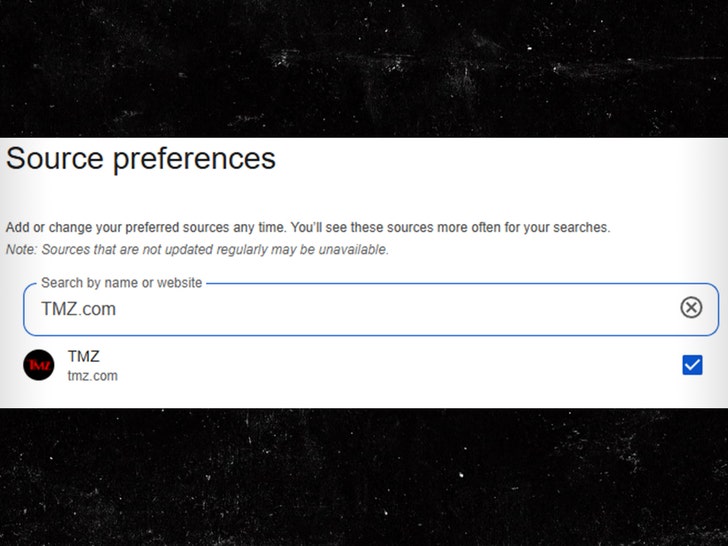
The first method involves going directly to Google's Source Preferences page, and we included a link to the page way up in the second sentence. Click on the search bar and type the name of any news source -- we'd recommend TMZ, TooFab, or both.
Click the checkbox on the right side of the site's name, click "Take Me To Google Search," and you're all set.
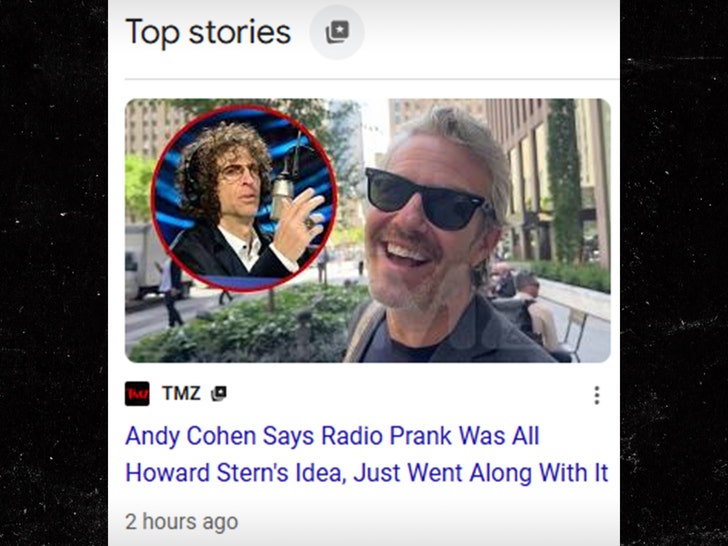
The second way to set your Preferred Sources is by heading to Google and searching for a newsworthy topic. Once you have a search, an icon featuring a card with a star should appear next to the "Top Stories" section, which you'll have to click.
After hitting the icon, it'll be the same process as the first method, just type your sources -- we only had to hit the "T" key before we saw our name pop up -- make your selections with the checkboxes, click "Reload Results," and you're good to go.
Once your sources have been selected, you'll see more content from sites you've picked much more frequently in the Top Stories section. Otherwise, the content should show up in a section called "From Your Sources."
And just in case you were wondering, picking a site as one of your Preferred Sources won't stop other sites' content from showing up in your searches.
You Can Optimize Your Google News Feed By Following A Source
If you feel like going a little further with this process, you can actually customize your Google News feed to prioritize the sources you know and love.
What you're gonna do is head to Google News and type the name of a source into the search bar, which you'll identify by finding the magnifying glass icon.
Once you've picked a source from the drop-down bar, all you have to do is click "Following," which is located at the top right of the page and marked with a star icon, and that's it!
Whichever way you pick us through Google, just remember, when you're looking for the hottest news from the entertainment world, we've got you covered!